
Administration
Configure Onborda to fit your organisation
Granular role-based access. White-label theming with live preview. Editable email templates with merge fields. The platform bends to your org — not the other way around.
Roles & Permissions
Access scoped the way real organisations actually work
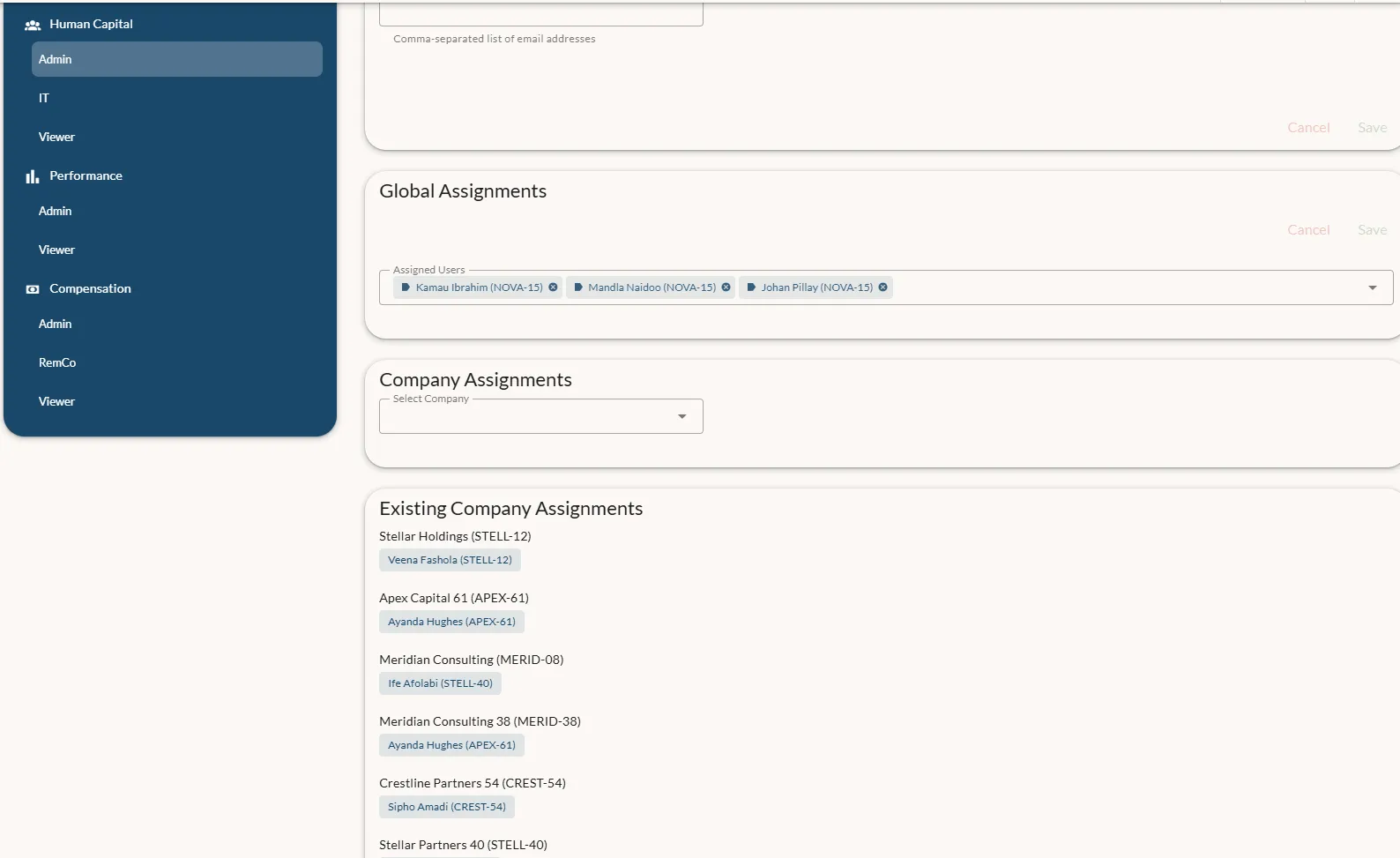
Define Admin, IT, Viewer, RemCo, and any custom roles per module. Then assign them globally, per company, or both — so a company's finance manager doesn't see other company's salaries, but the group HR director sees both.
Multi-company structures stay properly isolated without forcing you into multiple tenants.
White-label Theming
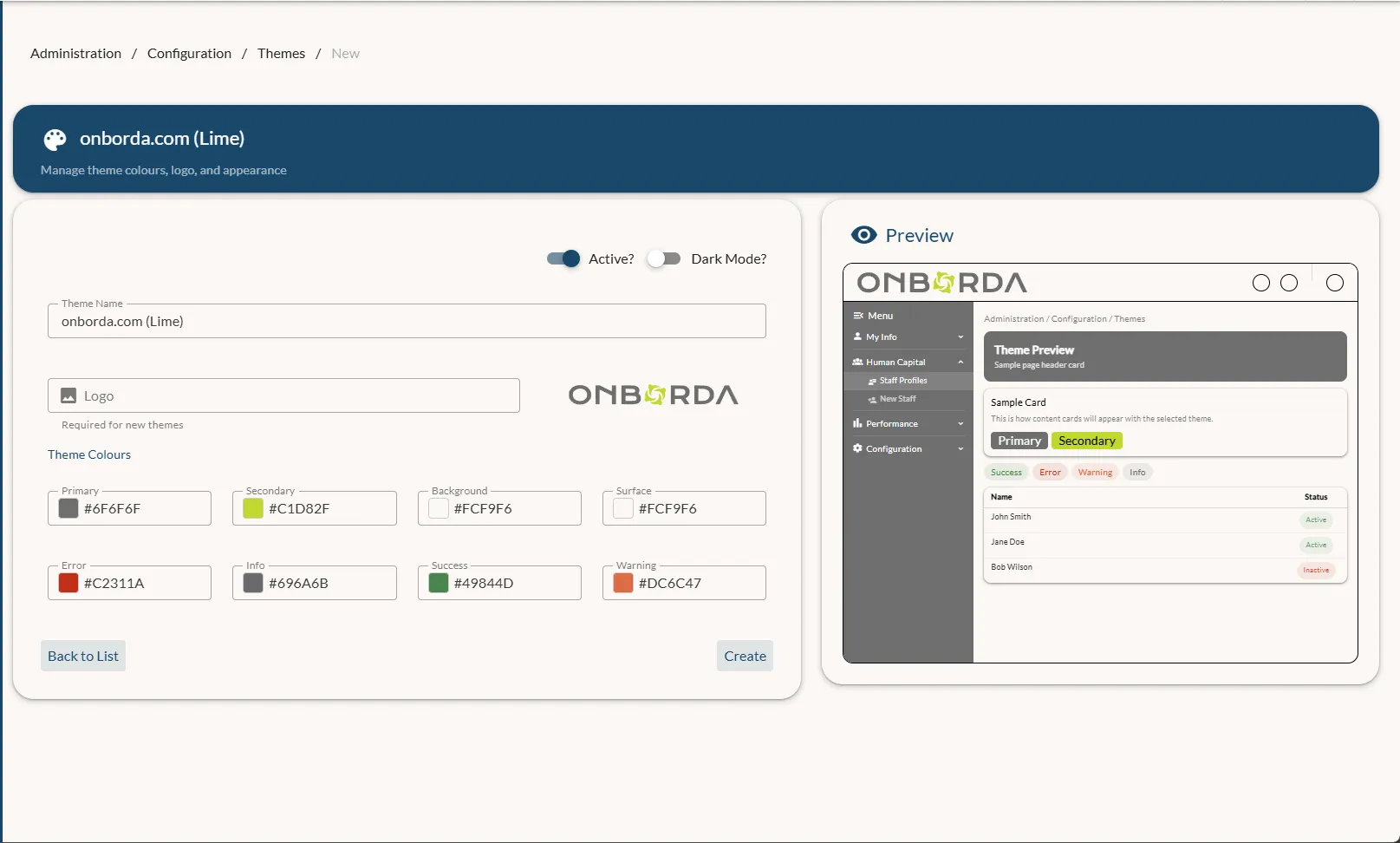
Your brand. Your logo. Your colour palette.
Pick a primary, secondary, surface, and status colour set; upload your logo; flip dark mode on or off. The live preview shows exactly what staff will see before you publish.
The surface picks up the active theme automatically — no branding work.
Email Templates
Edit the actual email, not a configuration screen
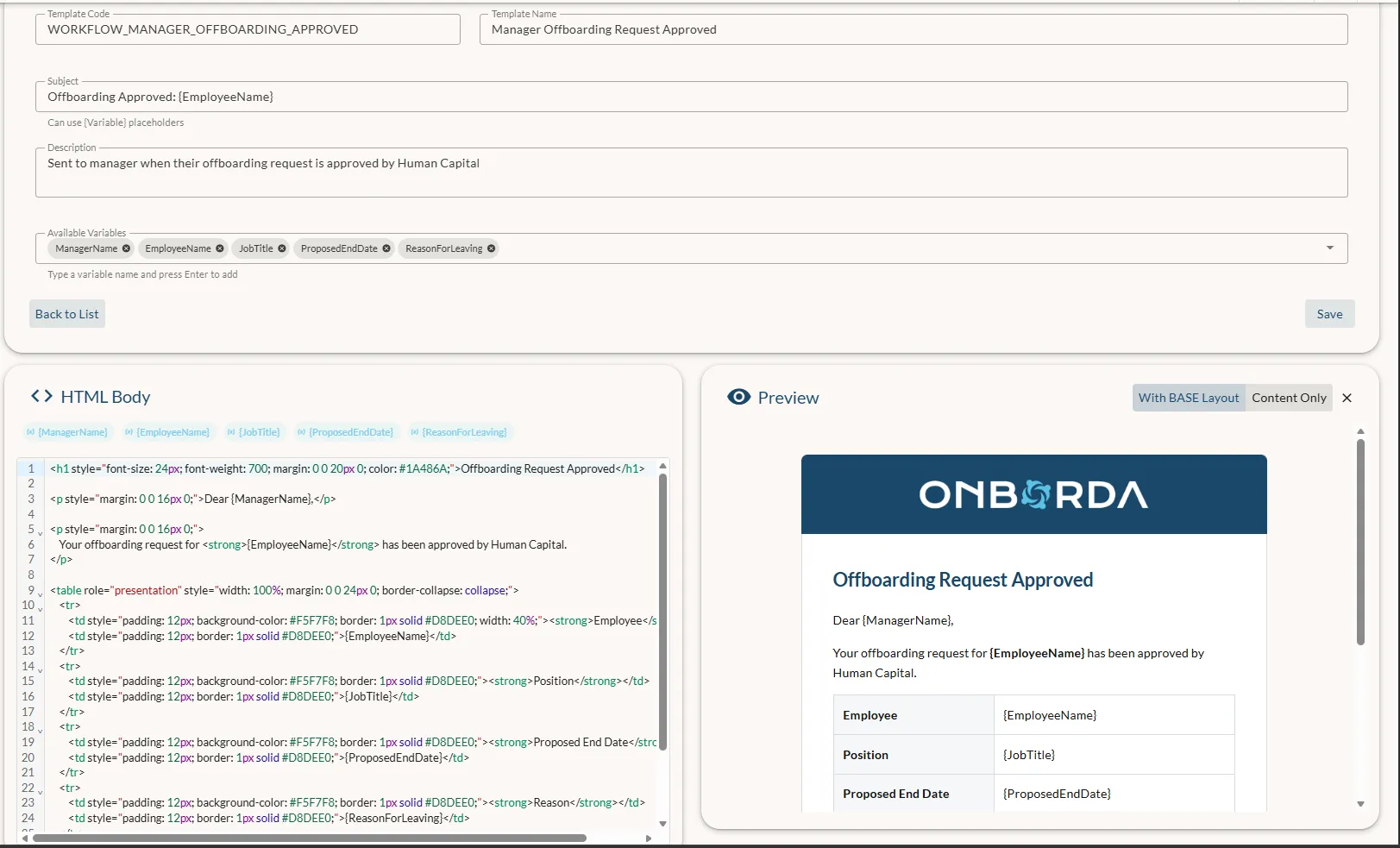
Every email is an editable HTML template with merge fields like {EmployeeName} and {ProposedEndDate}. The live preview renders against sample data so you can see the result before saving.
Tone, copy, and layout stay yours — no developer ticket required to soften an offboarding notice or rebrand a probation reminder.
Ready to see it in action?
Book a demo to walk through this module with our team, or contact sales to discuss your specific use case.